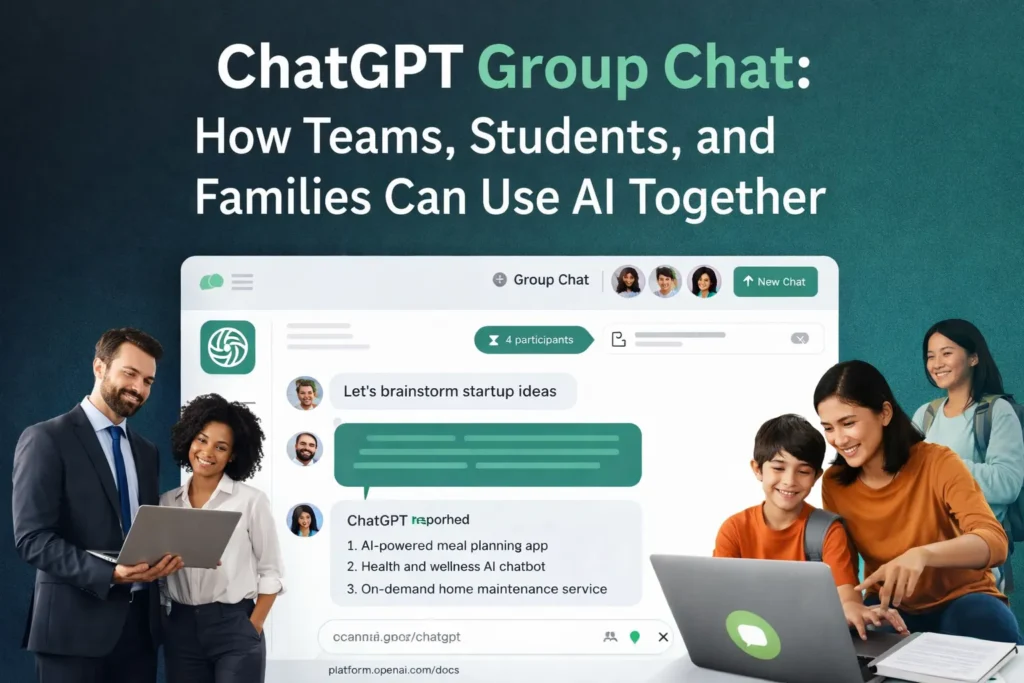

Artificial Intelligence tools are evolving rapidly, and ChatGPT continues to introduce features that make AI more useful in everyday life. One of the newest and most exciting additions is ChatGPT Group Chat, a feature that allows multiple people to collaborate with AI in the same conversation.
Instead of using AI individually and then sharing results with others, teams can now work together with AI inside a shared chat environment. This transforms ChatGPT from a simple assistant into a collaborative AI workspace.
Whether you are a team brainstorming ideas, students working on a project, or creators planning content, ChatGPT Group Chat makes collaboration faster and smarter.
What Is ChatGPT Group Chat?
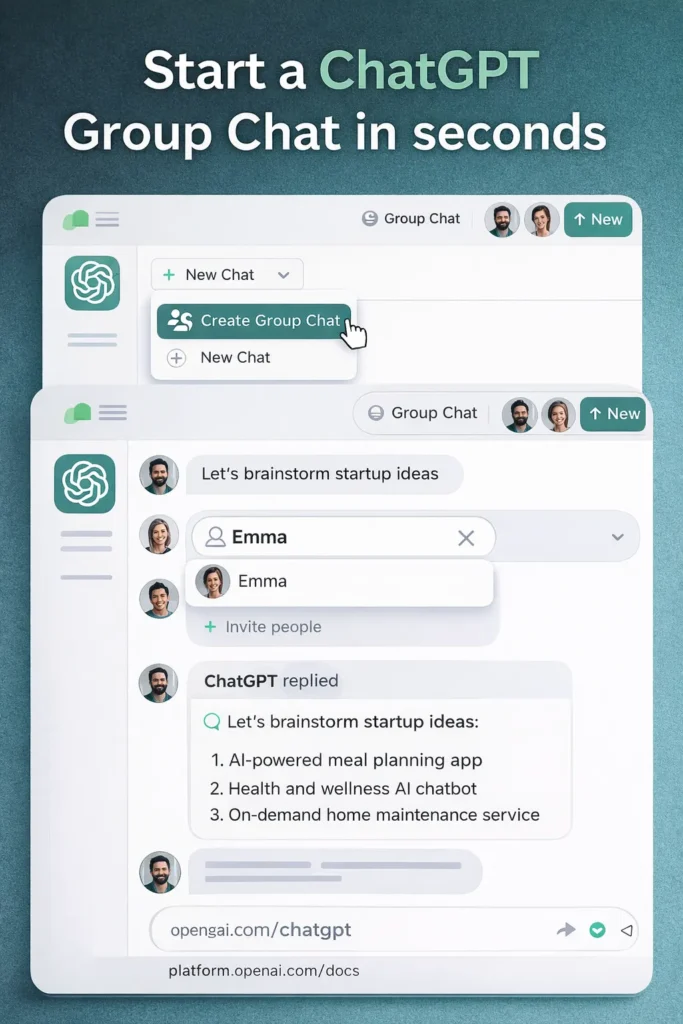
ChatGPT Group Chat is a feature that allows multiple participants to interact with the same AI conversation.
Everyone in the group can:
- Ask questions
- Add ideas
- Refine prompts
- Build on previous responses
- Collaborate on solutions
Instead of one person interacting with AI and forwarding the results, the AI becomes a shared assistant for the entire group.
You can learn more about ChatGPT on the official website:
https://openai.com/chatgpt
Why ChatGPT Group Chat Is a Major Step Forward
Most AI tools today are designed for individual productivity, but real work often happens in teams.
ChatGPT Group Chat enables collaborative AI usage, making it easier for groups to think, plan, and solve problems together.
Some key advantages include:
Shared Context
Everyone sees the same conversation history, which allows ChatGPT to understand the full context of the discussion.
Faster Decision Making
Teams can ask ChatGPT to summarize discussions, generate ideas, or evaluate options instantly.
More Creative Brainstorming
When multiple people contribute ideas along with AI insights, the results can be far more creative and useful.
6 Powerful Ways to Use ChatGPT Group Chat
Here are some practical examples of how ChatGPT Group Chat can be used in real life.
1. Group Chat for Team Brainstorming
Product teams and startups can use ChatGPT Group Chat to generate ideas quickly.
Example:
Team Member 1:
“Suggest innovative fintech features for a banking mobile app.”
Team Member 2:
“Focus on Gen Z users.”
Team Member 3:
“Add gamification elements.”
ChatGPT can instantly generate a refined list of ideas that incorporates everyone’s input.
The AI effectively acts as a brainstorming facilitator.
2. Group Chat for Family Travel Planning
Planning a trip with family or friends often involves many opinions and preferences.
With ChatGPT Group Chat, everyone can contribute in the same conversation.
Example:
User 1:
“Plan a 4-day Tokyo itinerary.”
User 2:
“Include anime attractions.”
User 3:
“Add budget-friendly restaurants.”
ChatGPT can instantly create a customized travel plan that satisfies everyone.
3. Group Chat for Content Creation Teams
Bloggers, YouTubers, and creators can use ChatGPT Group Chat for content strategy.
Example workflow:
Writer:
“Suggest blog topics about AI productivity.”
Editor:
“Focus on beginner-friendly topics.”
SEO specialist:
“Ensure topics have good search potential.”
ChatGPT can generate SEO-optimized content ideas for the entire team.
If you’re interested in AI trends, you can explore these articles:
Top AI Skills to Master in 2026
https://www.lifeintechmode.com/top-ai-skills-to-master-in-2026/
Google Gemini Super Gems AI Workflows
https://www.lifeintechmode.com/google-gemini-super-gems-ai-workflows/
4. Group Chat for Student Collaboration
Students working on group assignments can use ChatGPT Group Chat as a shared study assistant.
They can ask ChatGPT to:
- Summarize research papers
- Create presentation outlines
- Explain complex concepts
- Draft reports
The AI becomes a shared tutor for the entire group.
5. Group Chat for Startup Idea Validation
Entrepreneurs can use ChatGPT Group Chat to evaluate business ideas quickly.
Example:
Founder:
“Evaluate this idea: AI meal planning app.”
Co-Founder:
“What is the market size?”
Advisor:
“Who are the main competitors?”
ChatGPT can analyze the concept and provide insights into:
- market opportunities
- potential risks
- monetization strategies
This effectively turns AI into a startup strategy advisor.
6. Group Chat as an AI Meeting Assistant
Teams can also use ChatGPT Group Chat during meetings.
The AI can help by:
- summarizing discussion points
- generating action items
- suggesting solutions
This can significantly improve meeting productivity.
If you want to understand how ChatGPT models are evolving, you can read this comparison:
GPT-5.3 Instant vs GPT-5.2
https://www.lifeintechmode.com/gpt-5-3-instant-vs-gpt-5-2/
How ChatGPT Group Chat Will Change AI Collaboration
The future of AI is not just about individual productivity. It is about collective intelligence, where people and AI work together.
Features like Group Chat allow teams to combine:
- human creativity
- team collaboration
- AI intelligence
This combination can dramatically improve brainstorming, decision-making, and innovation.
As AI tools evolve, we may soon see AI-powered collaboration platforms where humans and AI build ideas together in real time.
Final Thoughts
The Group Chat feature represents an exciting step toward collaborative AI.
By allowing multiple users to interact with the same AI conversation, it unlocks new possibilities for:
- teams
- creators
- students
- entrepreneurs
- families
Whether you are brainstorming ideas, planning trips, creating content, or validating business ideas, AI becomes far more powerful when people collaborate with it together.
And ChatGPT Group Chat may just be the beginning of this new era of AI collaboration.
FAQs About ChatGPT Group Chat
What is ChatGPT Group Chat?
ChatGPT Group Chat allows multiple users to participate in the same AI conversation and collaborate in real time.
Can teams use ChatGPT Group Chat for work?
Yes. Teams can use Group Chat for brainstorming, research, meeting summaries, and idea generation.
Is Group Chat useful for students?
Students can use it for group assignments, research discussions, and collaborative learning.